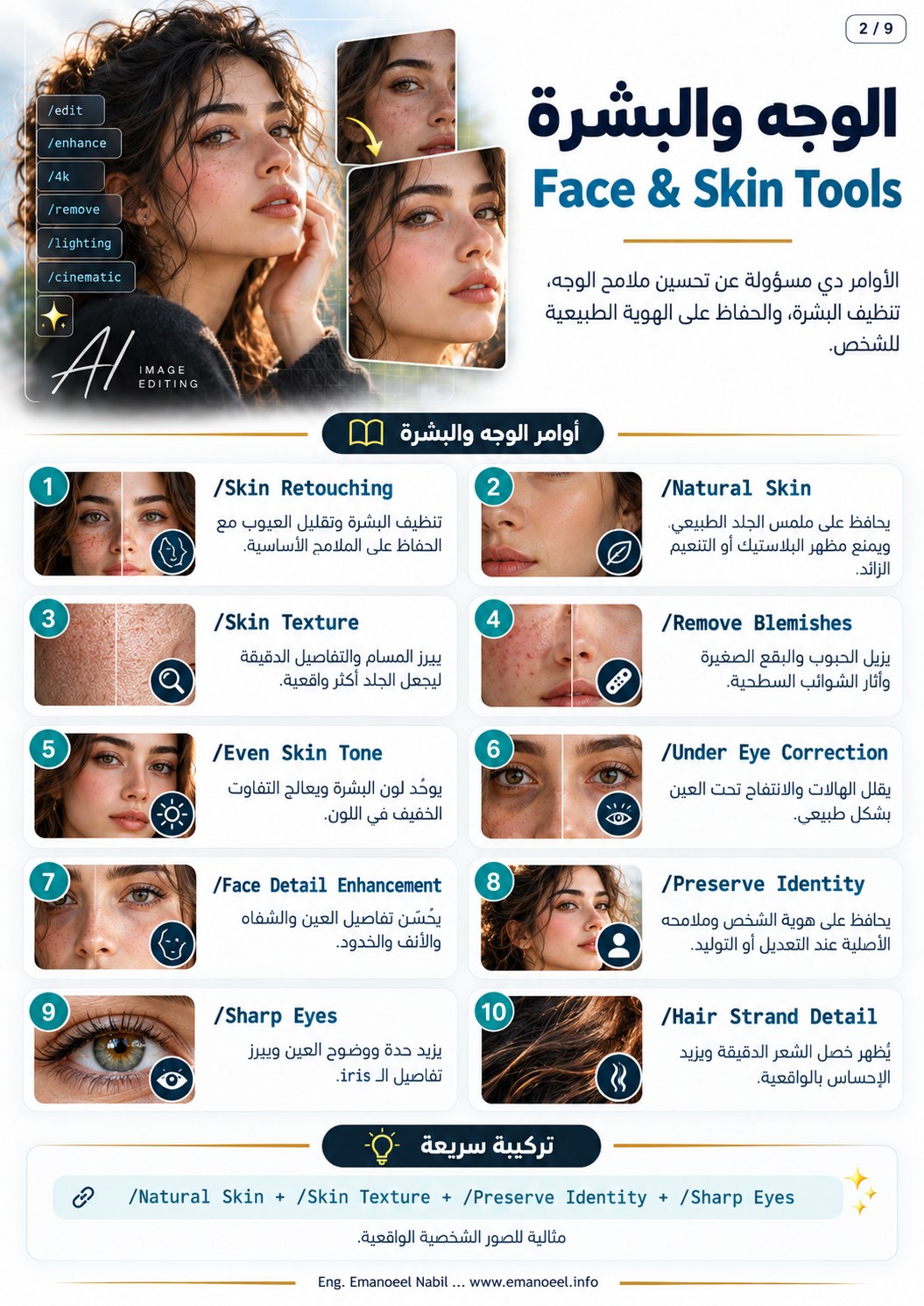
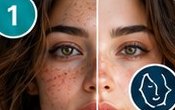
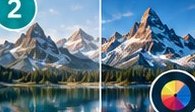
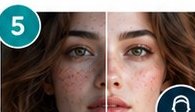
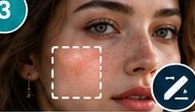
001 Skin Retouching /Skin RetouchingRetouch temporary skin imperfections while retaining facial features and natural texture.
Illustrative AI reference image Original sheet 2 · entry 1 Editable prompt starter Retouch temporary skin blemishes gently while preserving facial identity and natural pores. Copy prompt 002 Natural Skin /Natural SkinRetain pores and natural skin texture with restrained smoothing.
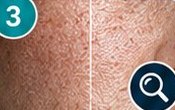
Illustrative AI reference image Original sheet 2 · entry 2 Editable prompt starter Keep natural skin pores and realistic texture with only subtle smoothing. Copy prompt 003 Skin Texture /Skin TextureRefine existing skin detail without inventing exaggerated pores.
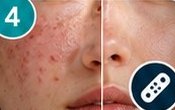
Illustrative AI reference image Original sheet 2 · entry 3 Editable prompt starter Refine existing skin microtexture while preserving natural scale and tonal variation. Copy prompt 004 Remove Blemishes /Remove BlemishesRemove specified temporary blemishes without changing facial identity.
Illustrative AI reference image Original sheet 2 · entry 4 Editable prompt starter Remove the specified temporary blemishes while preserving the person's identity and permanent facial features. Copy prompt 005 Even Skin Tone /Even Skin ToneReduce minor uneven color while retaining natural tonal variation.
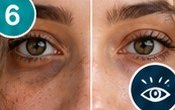
Illustrative AI reference image Original sheet 2 · entry 5 Editable prompt starter Reduce minor uneven skin color and preserve natural facial shading. Copy prompt 006 Under Eye Correction /Under Eye CorrectionReduce visible under-eye darkness subtly without flattening the eye area.
Illustrative AI reference image Original sheet 2 · entry 6 Editable prompt starter Reduce under-eye darkness gently while keeping natural eye shape and skin texture. Copy prompt 007 Face Detail Enhancement /Face Detail EnhancementRefine existing eye, nose and lip detail without inventing new features.
Illustrative AI reference image Original sheet 2 · entry 7 Editable prompt starter Refine existing facial detail while preserving the original eyes, nose, lips and expression. Copy prompt 008 Preserve Identity /Preserve IdentityRetain the reference face, age, hair and proportions.
Illustrative AI reference image Original sheet 2 · entry 8 Editable prompt starter Preserve the person's exact facial identity, age, hairstyle and body proportions from the reference. Copy prompt 009 Sharp Eyes /Sharp EyesClarify iris and lashes while retaining gaze direction.
Illustrative AI reference image Original sheet 2 · entry 9 Editable prompt starter Clarify the eyes and lashes subtly while preserving eye color and gaze direction. Copy prompt 010 Hair Strand Detail /Hair Strand DetailRefine natural strands and hair edges while keeping the hairstyle.
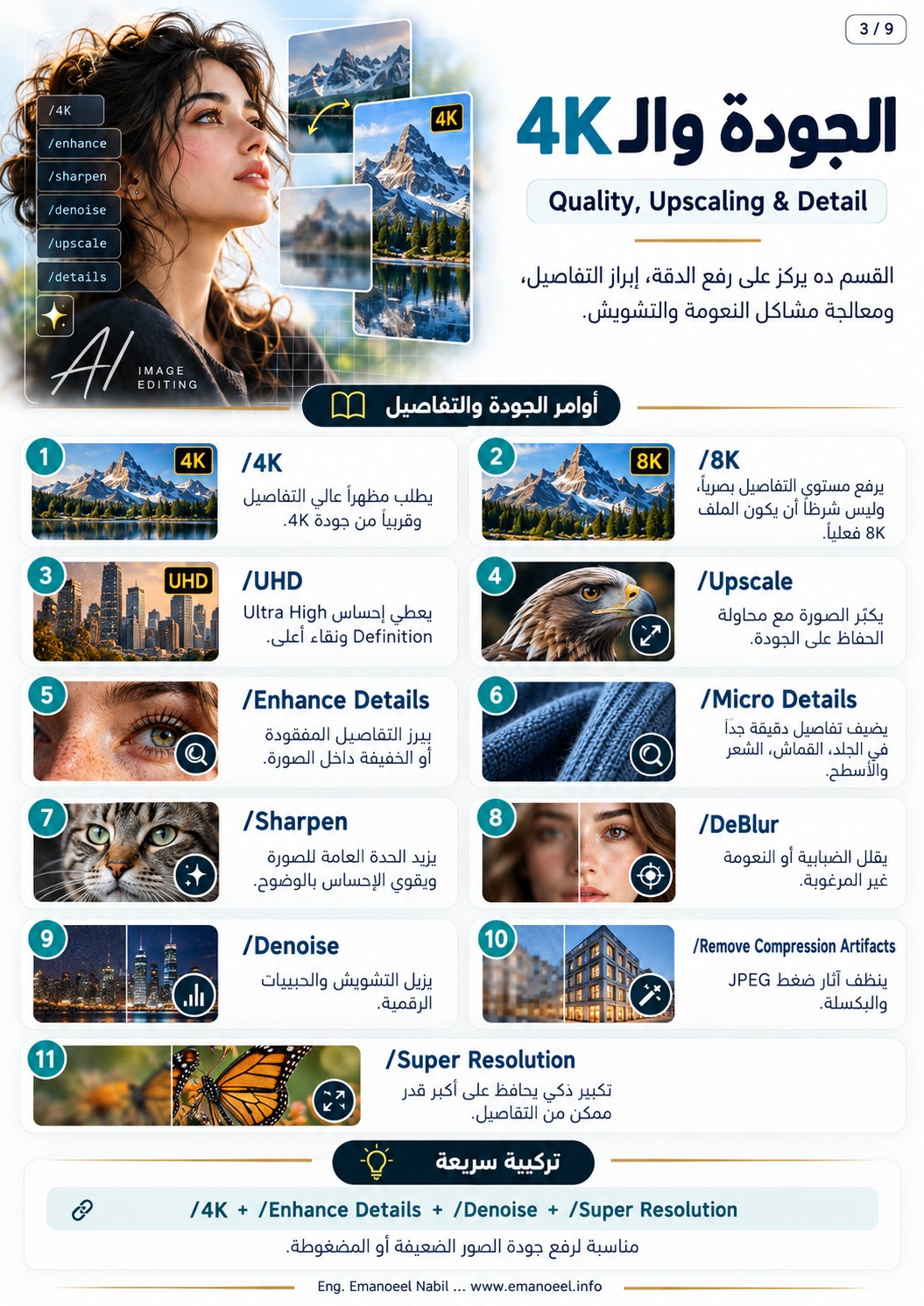
Illustrative AI reference image Original sheet 2 · entry 10 Editable prompt starter Refine natural hair strands and edges while preserving the hairstyle and hairline. Copy prompt 011 4K /4KA detail cue does not establish pixel dimensions. Set and verify the actual output size.
Illustrative AI reference image Original sheet 3 · entry 1 Editable prompt starter Preserve fine detail and the original composition. Use 3840 by 2160 output settings if supported and verify the exported dimensions. Copy prompt 012 8K /8KRequest refined detail or upscaling and verify the actual exported dimensions.
Illustrative AI reference image Original sheet 3 · entry 2 Editable prompt starter Refine existing detail conservatively. Set the required 8K dimensions in the output tool where supported. Copy prompt 013 UHD /UHDA quality label that requires actual output settings for size and presentation.
Illustrative AI reference image Original sheet 3 · entry 3 Editable prompt starter Prepare a clear high-detail image and verify the required UHD dimensions in the export settings. Copy prompt 014 Upscale /UpscaleIncrease dimensions while checking edges, identity and reconstructed detail.
Illustrative AI reference image Original sheet 3 · entry 4 Editable prompt starter Upscale the reference while preserving geometry, facial identity and natural edge detail. Copy prompt 015 Enhance Details /Enhance DetailsRefine existing details without inventing textures or lettering.
Illustrative AI reference image Original sheet 3 · entry 5 Editable prompt starter Enhance existing subject detail conservatively while preserving shapes and any legible lettering. Copy prompt 016 Micro Details /Micro DetailsClarify small cloth, hair and skin textures at a believable scale.
Illustrative AI reference image Original sheet 3 · entry 6 Editable prompt starter Refine subtle fabric, hair and surface microdetails at a realistic scale. Copy prompt 017 Sharpen /SharpenApply restrained sharpening without visible edge halos.
Illustrative AI reference image Original sheet 3 · entry 7 Editable prompt starter Apply moderate sharpening to existing detail and keep edges natural. Copy prompt 018 DeBlur /DeBlurImprove mild blur while reviewing any estimated reconstructed detail.
Illustrative AI reference image Original sheet 3 · entry 8 Editable prompt starter Improve mild blur conservatively and retain recognizable features and object geometry. Copy prompt 019 Denoise /DenoiseReduce digital noise while retaining texture and intentional grain.
Illustrative AI reference image Original sheet 3 · entry 9 Editable prompt starter Reduce distracting digital noise while preserving material detail and intentional film grain. Copy prompt 020 Remove Compression Artifacts /Remove Compression ArtifactsReduce compression blocks and ringing without smearing real detail.
Illustrative AI reference image Original sheet 3 · entry 10 Editable prompt starter Reduce JPEG blocking and ringing while preserving existing edges and material texture. Copy prompt 021 Super Resolution /Super ResolutionUpscale with reconstructed detail that needs comparison with the source.
Illustrative AI reference image Original sheet 3 · entry 11 Editable prompt starter Increase resolution conservatively and review reconstructed detail against the source image. Copy prompt 022 Studio Lighting /Studio LightingUse controlled light placement and readable subject separation.
Illustrative AI reference image Original sheet 4 · entry 1 Editable prompt starter Use balanced studio lighting with a defined key, gentle fill and controlled background separation. Copy prompt 023 Soft Lighting /Soft LightingCreate gradual shadow transitions from a large apparent source.
Illustrative AI reference image Original sheet 4 · entry 2 Editable prompt starter Use a large soft light from camera left with gentle shadow transitions. Copy prompt 024 Softbox Lighting /Softbox LightingUse a directional soft source with coherent material reflections.
Illustrative AI reference image Original sheet 4 · entry 3 Editable prompt starter Use a large rectangular softbox as the key light with soft shadows and coherent reflections. Copy prompt 025 Key Light /Key LightUse the principal source to define form and the main shadow direction.
Illustrative AI reference image Original sheet 4 · entry 4 Editable prompt starter Set a soft key light above and to camera left to define the face naturally. Copy prompt 026 Fill Light /Fill LightLift shadow detail while retaining contrast and three-dimensional form.
Illustrative AI reference image Original sheet 4 · entry 5 Editable prompt starter Add gentle fill to the shadow side while keeping the key light direction readable. Copy prompt 027 Rim Light /Rim LightSeparate edges with a motivated rear or side source.
Illustrative AI reference image Original sheet 4 · entry 6 Editable prompt starter Add a restrained rear rim light on the hair and far shoulder. Copy prompt 028 Backlight /BacklightPlace a source behind the subject for edge separation or silhouette.
Illustrative AI reference image Original sheet 4 · entry 7 Editable prompt starter Place a warm light behind the subject and control face exposure to retain the intended detail. Copy prompt 029 Window Light /Window LightUse light motivated by the location of a window.
Illustrative AI reference image Original sheet 4 · entry 8 Editable prompt starter Use soft natural window light from the left with coherent indoor shadows. Copy prompt 030 Golden Hour /Golden HourUse low warm sunlight near sunrise or sunset and extended shadows.
Illustrative AI reference image Original sheet 4 · entry 9 Editable prompt starter Use low warm evening sunlight with long coherent shadows and natural skin color. Copy prompt 031 Cinematic Lighting /Cinematic LightingUse deliberate light and contrast in service of the scene.
Illustrative AI reference image Original sheet 4 · entry 10 Editable prompt starter Light the subject with a motivated soft key, restrained warm highlights and cooler background tones. Copy prompt 032 Volumetric Lighting /Volumetric LightingReveal beams through atmospheric particles with a clear source direction.
Illustrative AI reference image Original sheet 4 · entry 11 Editable prompt starter Show directional light beams through subtle haze from the high window. Copy prompt 033 Low-Key Lighting /Low-Key LightingUse predominantly dark tones and selected readable highlights.
Illustrative AI reference image Original sheet 4 · entry 12 Editable prompt starter Use low-key side lighting with deep coherent shadows and readable facial detail. Copy prompt 034 Color Correction /Color CorrectionCorrect exposure, white balance and color casts before creative grading.
Illustrative AI reference image Original sheet 5 · entry 1 Editable prompt starter Correct white balance and exposure for natural skin and neutral surfaces. Copy prompt 035 Color Grading /Color GradingDevelop a deliberate palette and contrast after basic correction.
Illustrative AI reference image Original sheet 5 · entry 2 Editable prompt starter Apply a restrained color grade with warm highlights and cooler shadows while preserving natural skin. Copy prompt 036 Cinematic Color Grade /Cinematic Color GradeGrade in service of the scene while retaining skin and material detail.
Illustrative AI reference image Original sheet 5 · entry 3 Editable prompt starter Create a coherent cinematic palette with restrained saturation, natural skin and controlled contrast. Copy prompt 037 Natural Colors /Natural ColorsUse plausible colors consistent with light and materials.
Illustrative AI reference image Original sheet 5 · entry 4 Editable prompt starter Keep colors natural and consistent with the scene's light and materials. Copy prompt 038 Accurate Skin Tones /Accurate Skin TonesMatch skin to the reference and light rather than a universal skin color.
Illustrative AI reference image Original sheet 5 · entry 5 Editable prompt starter Match the person's skin tone to the reference while retaining the scene's natural lighting. Copy prompt 039 White Balance /White BalanceCorrect unwanted casts while respecting intentional scene lighting.
Illustrative AI reference image Original sheet 5 · entry 6 Editable prompt starter Correct unwanted white-balance casts while keeping the intended warm lamp light. Copy prompt 040 Warm Tone /Warm ToneAdd controlled warmth while retaining readable skin and neutrals.
Illustrative AI reference image Original sheet 5 · entry 7 Editable prompt starter Add gentle warmth to the scene while retaining natural skin and controlled whites. Copy prompt 041 Cool Tone /Cool ToneUse a cooler palette without excessive skin discoloration.
Illustrative AI reference image Original sheet 5 · entry 8 Editable prompt starter Use cooler ambient tones and retain natural subject skin color. Copy prompt 042 Muted Colors /Muted ColorsReduce saturation while preserving separation and tonal range.
Illustrative AI reference image Original sheet 5 · entry 9 Editable prompt starter Use muted colors with clear subject separation and preserved tonal detail. Copy prompt 043 Vibrant Colors /Vibrant ColorsIncrease saturation selectively while protecting skin and saturated regions.
Illustrative AI reference image Original sheet 5 · entry 10 Editable prompt starter Increase environmental color vibrancy selectively while keeping skin natural. Copy prompt 044 Deep Blacks /Deep BlacksDeepen dark tones without losing necessary shadow information.
Illustrative AI reference image Original sheet 5 · entry 11 Editable prompt starter Deepen black tones while preserving readable detail in important shadow regions. Copy prompt 045 Balanced Contrast /Balanced ContrastBalance light and dark regions while retaining important detail.
Illustrative AI reference image Original sheet 5 · entry 12 Editable prompt starter Balance contrast to preserve highlight detail and readable shadows. Copy prompt 046 DSLR /DSLRA photographic cue that needs explicit lens, light and focus decisions.
Illustrative AI reference image Original sheet 6 · entry 1 Editable prompt starter Use a natural photographic treatment with soft side light and coherent depth of field. Copy prompt 047 Full Frame /Full FrameSensor size alone does not determine blur. Specify field of view, distance and depth.
Illustrative AI reference image Original sheet 6 · entry 2 Editable prompt starter Use a natural photographic field of view with defined subject distance and restrained shallow focus. Copy prompt 048 24mm /24mmUse a wide field of view with perspective governed by camera position.
Illustrative AI reference image Original sheet 6 · entry 3 Editable prompt starter Use a 24mm-style wide environmental view with believable foreground scale and camera position. Copy prompt 049 35mm /35mmBalance subject and setting through a moderately wide field of view.
Illustrative AI reference image Original sheet 6 · entry 4 Editable prompt starter Use a 35mm-style environmental portrait with a readable background and natural perspective. Copy prompt 050 50mm /50mmUse a moderate field of view and specify framing and camera distance.
Illustrative AI reference image Original sheet 6 · entry 5 Editable prompt starter Use a 50mm-style field of view with an eye-level camera and natural subject proportions. Copy prompt 051 85mm /85mmUse a narrower portrait field of view from a suitable camera distance.
Illustrative AI reference image Original sheet 6 · entry 6 Editable prompt starter Use an 85mm-style portrait view from a comfortable distance with soft background separation. Copy prompt 052 Macro Lens /Macro LensMagnify a small object or texture with a defined focus plane.
Illustrative AI reference image Original sheet 6 · entry 7 Editable prompt starter Create a macro view of the small subject with one precise focus plane and natural texture. Copy prompt 053 Telephoto /TelephotoUse a narrower view from farther away to make depth layers appear closer.
Illustrative AI reference image Original sheet 6 · entry 8 Editable prompt starter Use a telephoto-style view from a distant camera position with layered background compression. Copy prompt 054 Shallow Depth of Field /Shallow Depth of FieldUse a limited sharp zone and a softly defocused background.
Illustrative AI reference image Original sheet 6 · entry 9 Editable prompt starter Keep the subject's eyes sharp with a limited depth of field and a softly defocused background. Copy prompt 055 Bokeh /BokehDescribe the appearance of defocused point lights in the background.
Illustrative AI reference image Original sheet 6 · entry 10 Editable prompt starter Use soft warm background point lights with a natural photographic bokeh pattern. Copy prompt 056 Anamorphic Lens /Anamorphic LensSuggest oval bokeh and horizontal flare associated with anamorphic aesthetics.
Illustrative AI reference image Original sheet 6 · entry 11 Editable prompt starter Use a restrained anamorphic-inspired look with subtle oval bokeh and a motivated horizontal flare. Copy prompt 057 f/1.8 /f/1.8An approximate generative cue. Depth depends on lens, distance and sensor size.
Illustrative AI reference image Original sheet 6 · entry 12 Editable prompt starter Use a wide-aperture photographic look with sharp eyes and a gently defocused distant background. Copy prompt 058 Remove Background /Remove BackgroundExtract the subject carefully. JPG presentation uses a solid background.
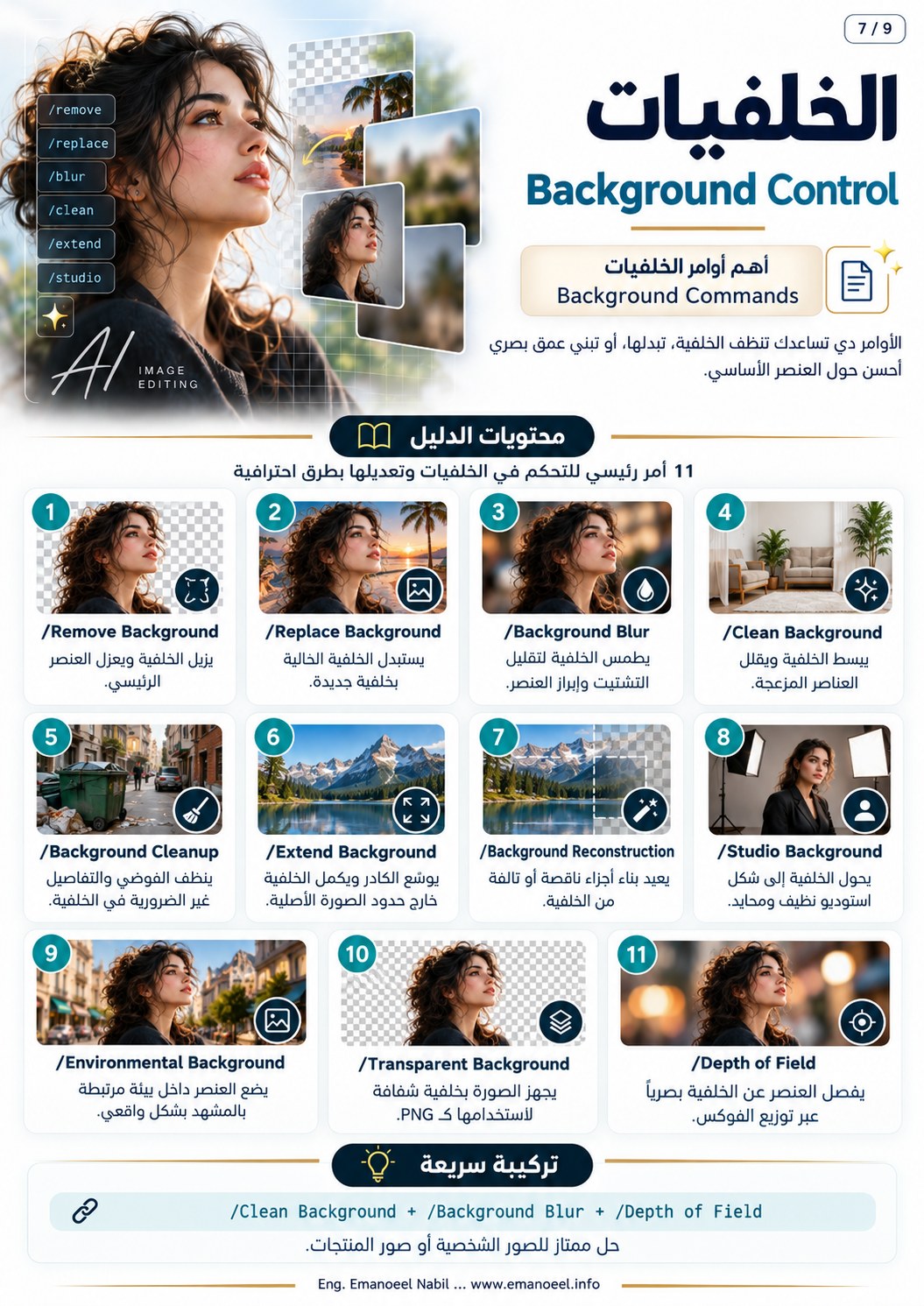
Illustrative AI reference image Original sheet 7 · entry 1 Editable prompt starter Isolate the subject on a plain light-gray background with natural hair and glass edges. Copy prompt 059 Replace Background /Replace BackgroundReplace the setting while matching perspective and lighting.
Illustrative AI reference image Original sheet 7 · entry 2 Editable prompt starter Replace the background with the supplied location while preserving the exact subject and matching perspective and light. Copy prompt 060 Background Blur /Background BlurSoften background detail according to depth with coherent subject edges.
Illustrative AI reference image Original sheet 7 · entry 3 Editable prompt starter Soften the distant background naturally while keeping the subject and hair edges clear. Copy prompt 061 Clean Background /Clean BackgroundSimplify distractions while retaining coherent materials and lines.
Illustrative AI reference image Original sheet 7 · entry 4 Editable prompt starter Simplify the background while preserving its material texture and architectural lines. Copy prompt 062 Background Cleanup /Background CleanupRemove named distractions and repair their shadows and reflections.
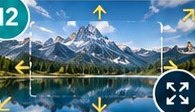
Illustrative AI reference image Original sheet 7 · entry 5 Editable prompt starter Remove the specified background clutter and repair associated shadows and reflections coherently. Copy prompt 063 Extend Background /Extend BackgroundContinue the setting beyond existing edges while retaining the subject.
Illustrative AI reference image Original sheet 7 · entry 6 Editable prompt starter Extend the background beyond the frame with consistent perspective, lighting and materials. Copy prompt 064 Background Reconstruction /Background ReconstructionReconstruct missing areas from the surrounding structure and material.
Illustrative AI reference image Original sheet 7 · entry 7 Editable prompt starter Reconstruct the missing wall area using the surrounding architecture, texture and light. Copy prompt 065 Studio Background /Studio BackgroundUse a controlled studio setting with coherent contact and shadow.
Illustrative AI reference image Original sheet 7 · entry 8 Editable prompt starter Place the unchanged subject against a clean studio background with natural contact and shadows. Copy prompt 066 Environmental Background /Environmental BackgroundPlace the subject in a story-relevant environment with matched scale and light.
Illustrative AI reference image Original sheet 7 · entry 9 Editable prompt starter Place the subject in a coherent everyday environment matching the original camera height and lighting. Copy prompt 067 Transparent Background /Transparent BackgroundUse an alpha-capable format such as PNG for an actual transparent deliverable.
Illustrative AI reference image Original sheet 7 · entry 10 Editable prompt starter Extract the subject with genuine transparency if the output format supports an alpha channel. Copy prompt 068 Depth of Field /Depth of FieldSpecify the sharpness distribution across foreground, subject and background.
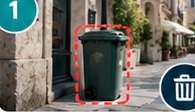
Illustrative AI reference image Original sheet 7 · entry 11 Editable prompt starter Keep the subject sharp with natural foreground and background focus falloff according to depth. Copy prompt 069 Remove Object /Remove ObjectRemove a named object and repair the underlying surface and shadows.
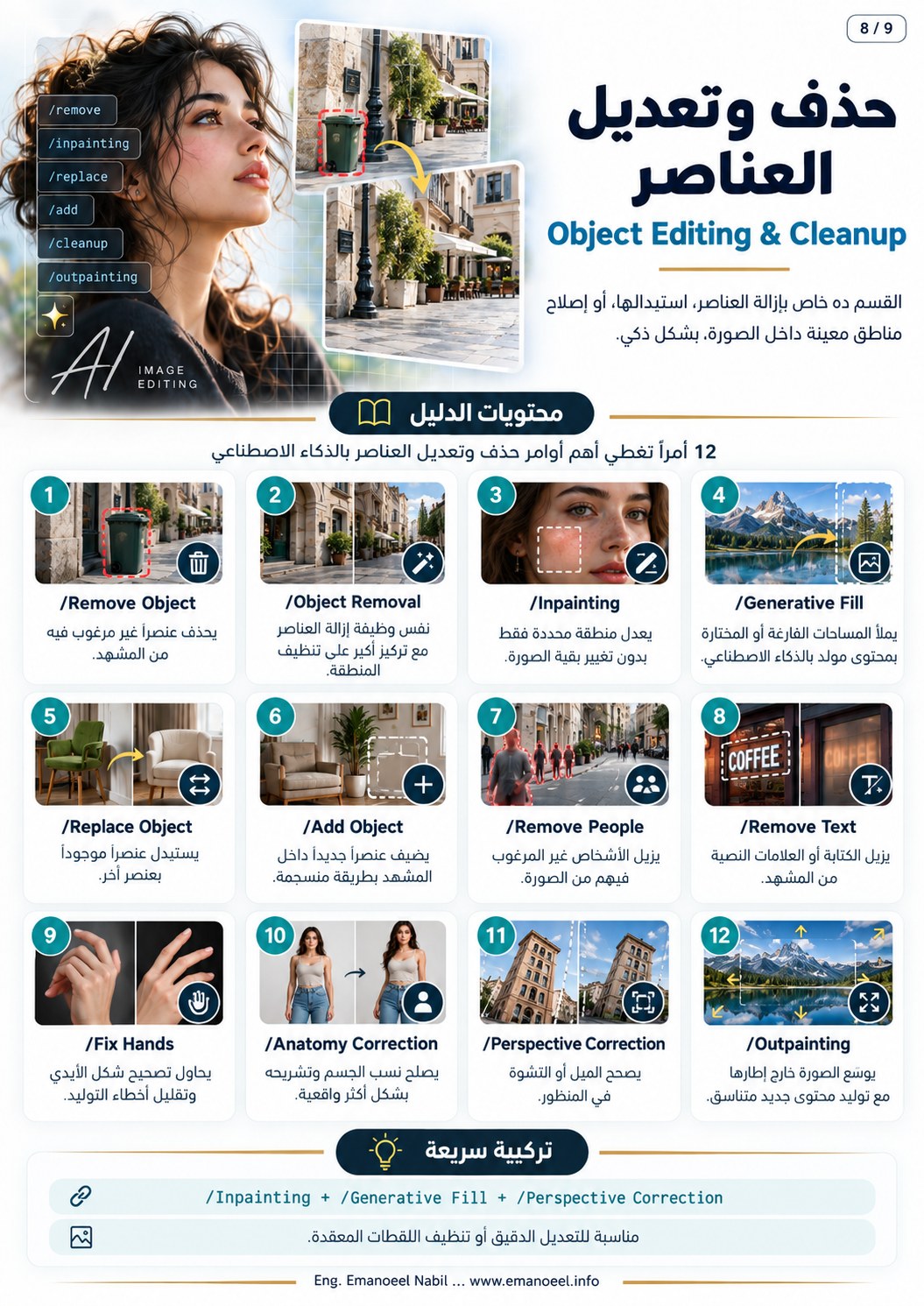
Illustrative AI reference image Original sheet 8 · entry 1 Editable prompt starter Remove only the specified unwanted object and reconstruct the underlying surface and shadow consistently. Copy prompt 070 Object Removal /Object RemovalA related object-removal label emphasizing coherent cleanup.
Illustrative AI reference image Original sheet 8 · entry 2 Editable prompt starter Remove the unwanted item and clean the affected region with consistent texture and perspective. Copy prompt 071 Inpainting /InpaintingEdit a selected region while preserving the surrounding composition.
Illustrative AI reference image Original sheet 8 · entry 3 Editable prompt starter Edit only the selected region and preserve the remaining image, face and composition. Copy prompt 072 Generative Fill /Generative FillGenerate content within a selected area and check contextual consistency.
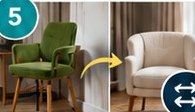
Illustrative AI reference image Original sheet 8 · entry 4 Editable prompt starter Fill the selected area with content matching the surrounding lighting, geometry and material. Copy prompt 073 Replace Object /Replace ObjectReplace an object while matching scale, perspective and contact.
Illustrative AI reference image Original sheet 8 · entry 5 Editable prompt starter Replace the selected chair with the supplied chair reference at the same scale and perspective. Copy prompt 074 Add Object /Add ObjectAdd an object with defined placement, material, scale and shadow.
Illustrative AI reference image Original sheet 8 · entry 6 Editable prompt starter Add a small ceramic cup to the table with correct scale, contact shadow and matching light. Copy prompt 075 Remove People /Remove PeopleRemove specified people and reconstruct the setting while preserving the main subject.
Illustrative AI reference image Original sheet 8 · entry 7 Editable prompt starter Remove only the indicated background people and preserve the principal subject exactly. Copy prompt 076 Remove Text /Remove TextRemove specified lettering and reconstruct the underlying material.
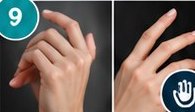
Illustrative AI reference image Original sheet 8 · entry 8 Editable prompt starter Remove the overlaid title and reconstruct the underlying background while preserving all faces. Copy prompt 077 Fix Hands /Fix HandsCorrect fingers, wrists and contact while comparing with the intended pose.
Illustrative AI reference image Original sheet 8 · entry 9 Editable prompt starter Correct the hand anatomy and grip with believable fingers, wrist orientation and object contact. Copy prompt 078 Anatomy Correction /Anatomy CorrectionCorrect limb proportions, connections and balance while preserving identity.
Illustrative AI reference image Original sheet 8 · entry 10 Editable prompt starter Correct the body anatomy and limb connections while preserving the exact person, clothing and intended pose. Copy prompt 079 Perspective Correction /Perspective CorrectionCorrect tilt and converging lines while retaining scene geometry.
Illustrative AI reference image Original sheet 8 · entry 11 Editable prompt starter Correct distracting perspective tilt and preserve coherent architectural proportions and vanishing lines. Copy prompt 080 Outpainting /OutpaintingGenerate beyond the frame with consistent lighting and perspective.
Illustrative AI reference image Original sheet 8 · entry 12 Editable prompt starter Extend the image outside its boundaries while continuing the environment, light and perspective naturally. Copy prompt 081 Cinematic /CinematicUse composition, light and color in service of a defined scene.
Illustrative AI reference image Original sheet 9 · entry 1 Editable prompt starter Use motivated dramatic light, restrained color and a clear subject hierarchy suited to the scene. Copy prompt 082 Epic Cinema /Epic CinemaEmphasize scale, depth and the relationship between people and environment.
Illustrative AI reference image Original sheet 9 · entry 2 Editable prompt starter Use an expansive landscape composition with layered depth and a small clearly readable human subject. Copy prompt 083 Dark Cinematic /Dark CinematicUse dark tones and deep shadows with a readable focal subject.
Illustrative AI reference image Original sheet 9 · entry 3 Editable prompt starter Use a dark dramatic palette with coherent deep shadows and a clearly readable subject. Copy prompt 084 Warm Emotional Cinema /Warm Emotional CinemaCombine warm light, restrained expression and an emotionally relevant composition.
Illustrative AI reference image Original sheet 9 · entry 4 Editable prompt starter Use gentle warm light, natural expression and intimate framing suited to a quiet emotional moment. Copy prompt 085 Film Still /Film StillCompose a still that feels part of a narrative sequence with coherent materials and light.
Illustrative AI reference image Original sheet 9 · entry 5 Editable prompt starter Create a natural narrative film-still composition with coherent practical light and realistic material texture. Copy prompt 086 Subtle Film Grain /Subtle Film GrainAdd fine consistent grain without obscuring faces or lettering.
Illustrative AI reference image Original sheet 9 · entry 6 Editable prompt starter Add subtle fine film grain across the image while retaining legible text and facial detail. Copy prompt